Basic Apply Recipes Tutorials & Troubleshooting
For basic tutorials on connecting your camera and importing recipes, please refer to:
Specific Note for X-T30 II Users: Since we have received many reports regarding the X-T30 II, we have compiled a specific troubleshooting guide: [X-T30 II Issue Summary]. However, users of other models may also find this helpful if encountering similar issues.
Common Connection Issues
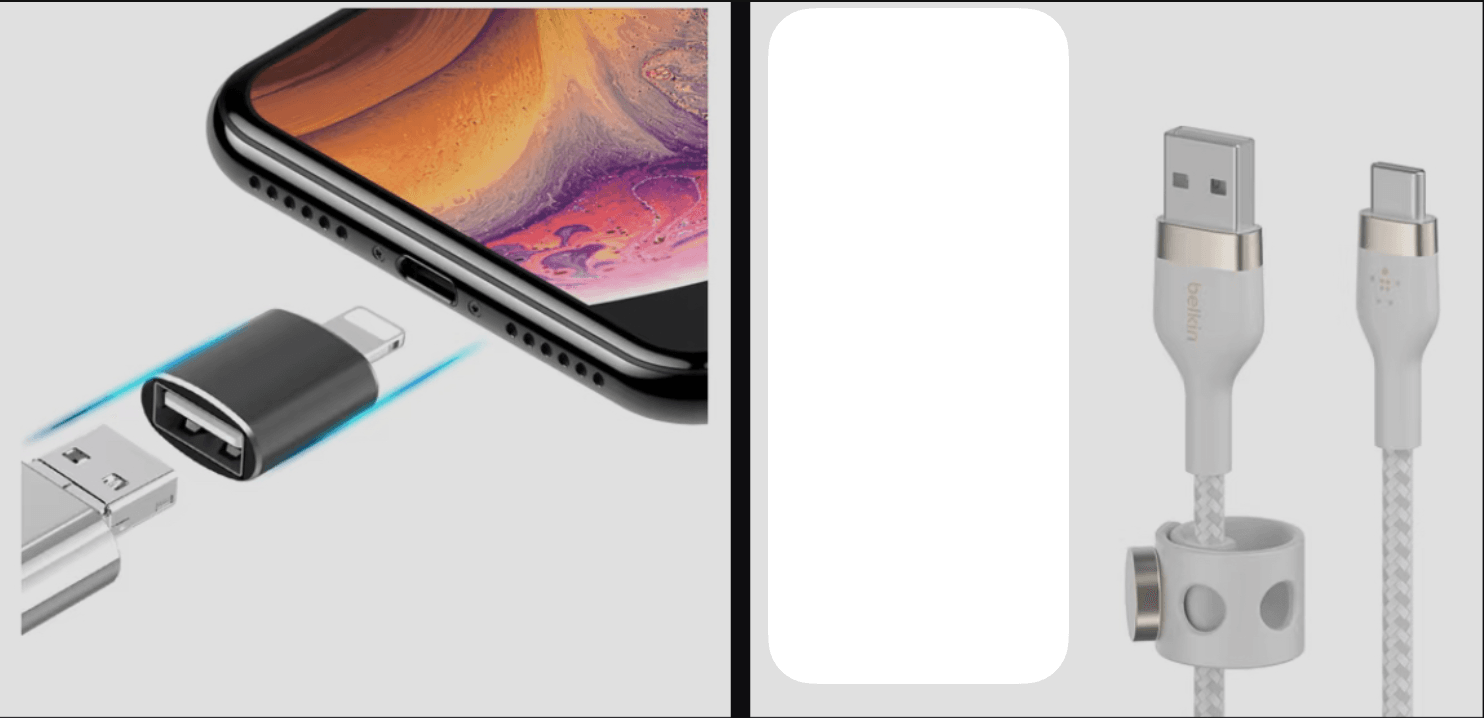
1. Unable to connect on iPhone 14 Pro and earlier models: Please check if your USB adapter (OTG) matches our recommended models. Apple has very strict standards for adapters. If your setup differs from the one shown above, we strongly suggest testing with the recommended combination to avoid compatibility issues.
Note: We have no direct affiliation with the brands mentioned above. You are free to choose other products with identical specifications for testing.
2. Connection successful, but recipe changes do not take effect: If the app shows the recipe was applied but the camera settings haven't changed:
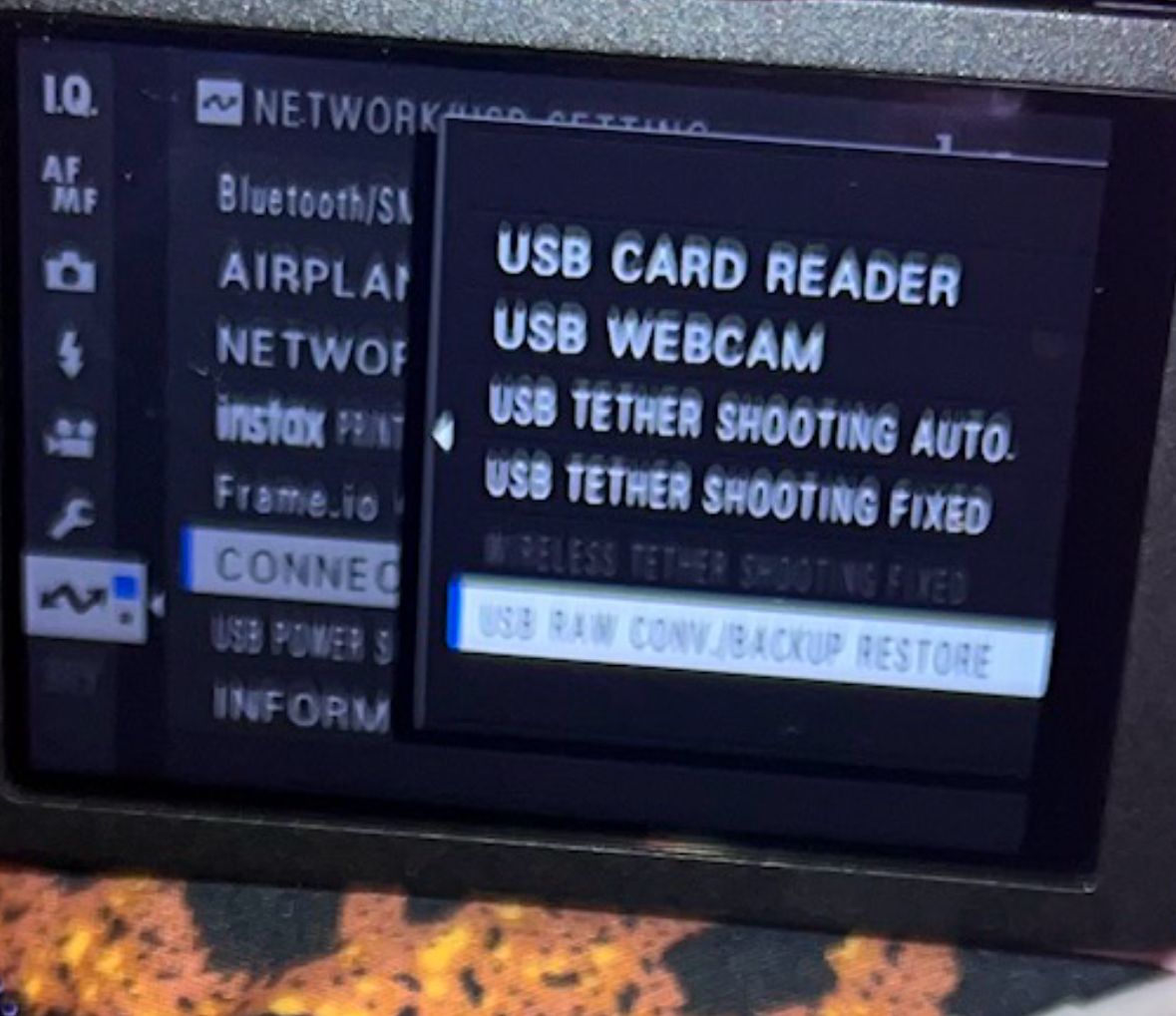
Check USB Mode: Verify that your camera's USB connection setting is set to USB RAW Conv./Backup Restore.
Check Custom Slots: Confirm that you are trying to import into Custom Settings C1 – C7.
Last Resort: If it still doesn't work, some cameras may require a Reset/Initialization (please assess the data risk yourself). Note: Most users do not need to go this far.
Still need help? If you have tried all the steps above and the issue persists, please contact us at fujistyleinfo@163.com. We welcome your feedback.